“Which model is this?” and “What does the authenticity evidence tell us?” need different inputs. Product identification finds the reference. Authenticity assessment brings the details together for review.
PRODUCT IDENTIFICATION
From a photograph to a model the team can confirm.
An unfamiliar item arrives at the intake desk. Product identification gives staff visual references and structured product details to compare before completing the item record.
01
Choose and capture
Select the brand, then use the camera or upload a product photo to start model search.
02
Compare the shortlist
Switch between Closest Models and Grouped Models. Inspect reference images alongside the model name, part number, size, material, colour and other available attributes.
03
Confirm or continue
Select the reference that fits. Its details carry into the item record for review. If none fits, use Bag Not Found and continue without forcing a match.
WHAT THE TEAM KEEPS
A staff-confirmed product reference and a more complete intake record.
Visual similarity helps identify a model; it does not establish authenticity.
AUTHENTICITY ASSESSMENT
From detail photographs to a reviewable authenticity decision.
Choose the brand and follow a guided capture sequence across 7–10 locations. The capture guide shows staff where to photograph and what to look for, keeping each image connected to the item, its assessment and its review history.
01
Follow the capture guide
Follow on-screen instructions and example images for the selected brand and item type. Capture 7–10 designated locations, such as outer material, lining, seams, stamps, zippers and hardware; some locations call for more than one image.
02
Read the result in context
Review overall model confidence alongside location-level scores and the captured images. Inspect individual areas when the evidence varies. Supported checks can return Real, Fake or Hold; Hold keeps uncertainty visible.
03
Bring in the reviewer
Authorized reviewers can record their own judgments. The case distinguishes model output from user and administrator decisions, with decision attribution and timestamps.
WHAT THE TEAM KEEPS
A structured case that intake teams and central reviewers can assess together.
Available checks and screens depend on the brand, item type and organization’s configuration.
A real comparison pattern
Same model family. Details that change the match.
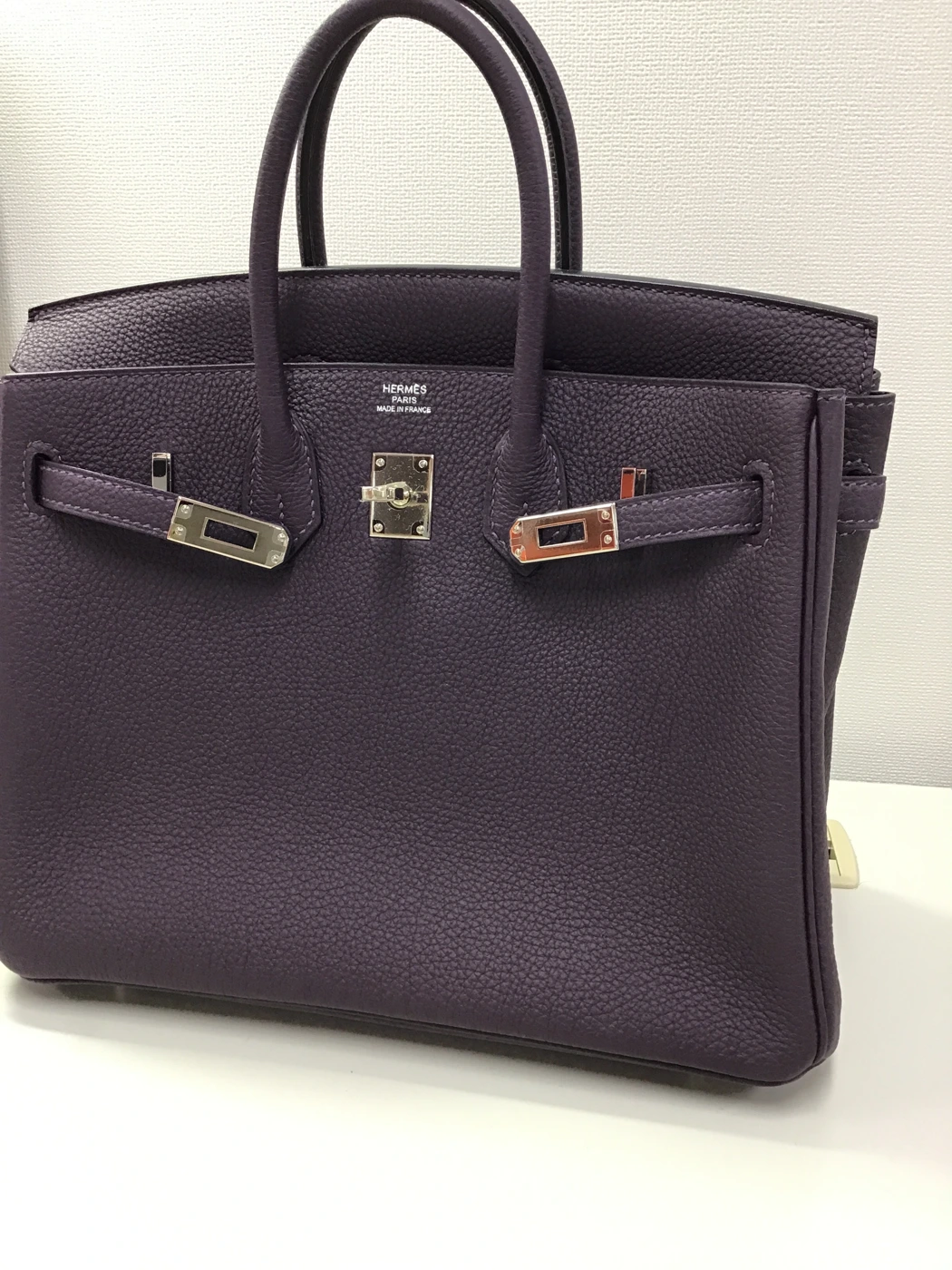
In a staging search using a real intake photograph, the shortlist included Birkin references with different sizes and leathers. That is why the team sees product attributes alongside each image.
Selected reference attributes from the recorded search
Model
Size
Material
Colour
Birkin
25
Togo
Raisin
Birkin
25
Coromandel
Raisin
Birkin
35
Coromandel
Raisin
An example of the comparison workflow, not an accuracy claim or an authenticity verdict.
Real images. Different levels of detail.
See the item. Then look closer.
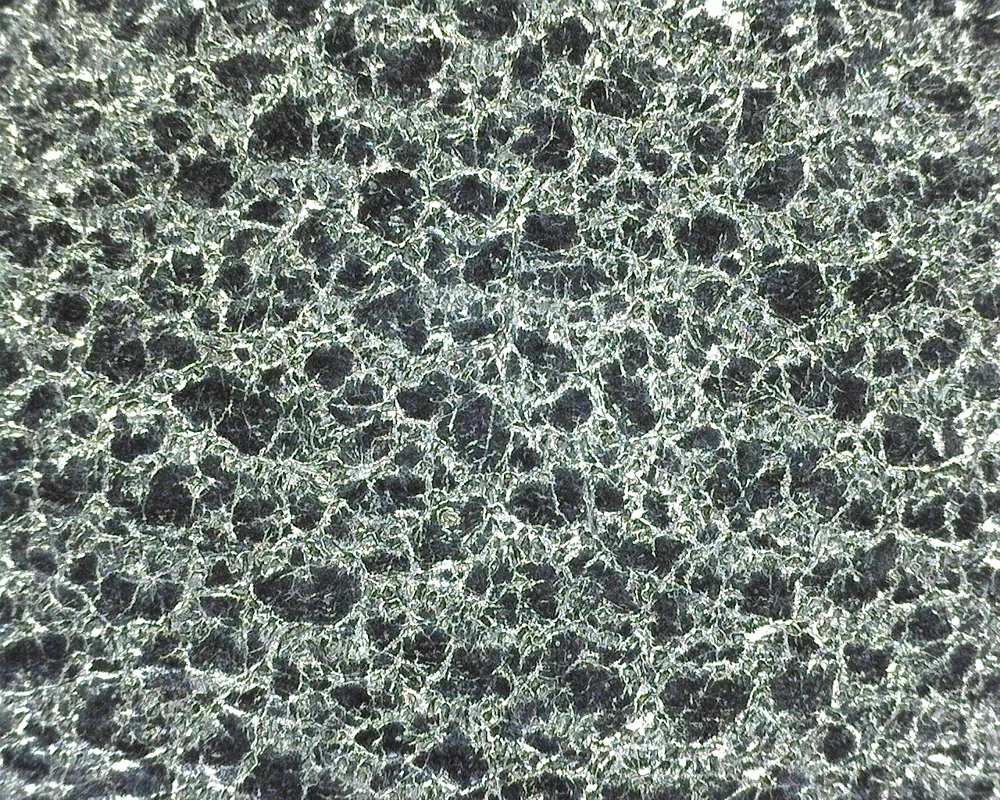
A product photograph helps establish what an item is. Microscopic capture reveals the materials and construction that support authenticity review. Each brand gallery brings together photographs from a single operational item record.
123
Actual intake photograph. Markers illustrate visible features, not model-generated detections.
Product identification
A useful reference starts with the whole item.
Our identification system compares the photograph with product references to help the team narrow down the model. The candidate images and attributes give staff a practical basis for comparison.
1
Shape & proportions
Compare the silhouette, handles and overall construction.
2
Material & colour
Check the visible surface and colour against candidate references.
3
Hardware & design details
Compare the clasp, fittings and other distinguishing features.
Staff select the brand, then follow on-screen guidance and example images across 7–10 capture locations. The sequence adapts to the brand and item type, helping every team collect a consistent set of evidence for authenticity review.
7–10guided capture locations depending on the brand
01Select the brand
Load the relevant capture guide.
02Follow each location
Use instructions and reference images to frame the detail.
03Bring the evidence together
Review the assessment alongside the captured images.
Recorded counterfeit cases · 2025–2026 uploads
One decision. Every detail.
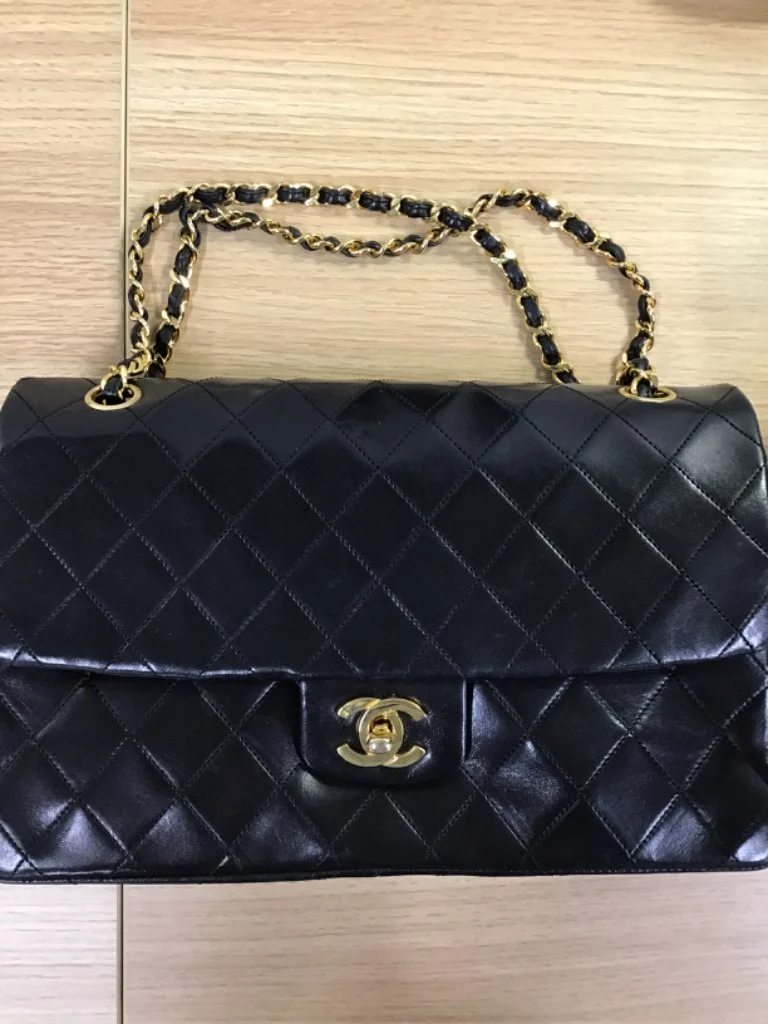
Explore real cases marked Fake by both a reviewer and an AI assessment. Compare the overall result with individual capture locations to see where the visual evidence varies.
Chanel
Uploaded 19 May 2026
Reviewer FakeAI assessment Fake
Recorded assessment · 6 Sept 2026
Assessment details
Overall model confidence88.2%
Confidence reflects the strength and agreement of the model’s signals. Lower values mean more uncertainty and call for closer review. The reviewer’s verdict is recorded separately.
Lower location scores indicate more counterfeit-like patterns. Select a location to inspect the evidence.
Showing one of 3 photographs at this location. The score summarizes the location’s captured evidence.
How to read these scores
Location scores run from 0 (more counterfeit-like) to 1 (more authentic-like). They average the recorded model outputs for that location. They are not individual authenticity verdicts or a measure of how much that location contributed to the overall result.
The model’s Real/Fake prediction follows a decision threshold. Confidence also accounts for disagreement between model predictions, so a Fake result can have lower confidence. Overall confidence is a separate recorded output; it is not the average of the location scores. Neither score is a calibrated probability or an accuracy benchmark. These selected examples demonstrate review tools, with availability depending on the brand and deployment.
Each case uses photographs and scores associated with the same item and selected assessment. All shown cases have a reviewer Fake verdict and a model Fake result. Other assessments can differ. Images are resized from operational photographs without generative alteration.
Platform or API
Fit the tools to your operation.
A guided platform.
Bring intake, detail photography, assessment and specialist review into one shared workflow.
Connect through APIs.
Integrate product identification or authenticity assessment into your existing software. We configure access, image requirements and supported coverage with your team.
Item fingerprinting is also available as a separate workflow for comparing returning items with previously registered visual details.